None
EN
This overlooked Windows feature makes multitasking so much easier
['More This Author', '.Wp-Block-Co-Authors-Plus-Coauthors.Is-Layout-Flow', 'Class', 'Wp-Block-Co-Authors-Plus', 'Display Inline', '.Wp-Block-Co-Authors-Plus-Avatar', 'Where Img', 'Height Auto Max-Width', 'Vertical-Align Bottom .Wp-Block-Co-Authors-Plus-Coauthors.Is-Layout-Flow .Wp-Block-Co-Authors-Plus-Avatar', 'Vertical-Align Middle .Wp-Block-Co-Authors-Plus-Avatar Is .Alignleft .Alignright']
News | PCWorld
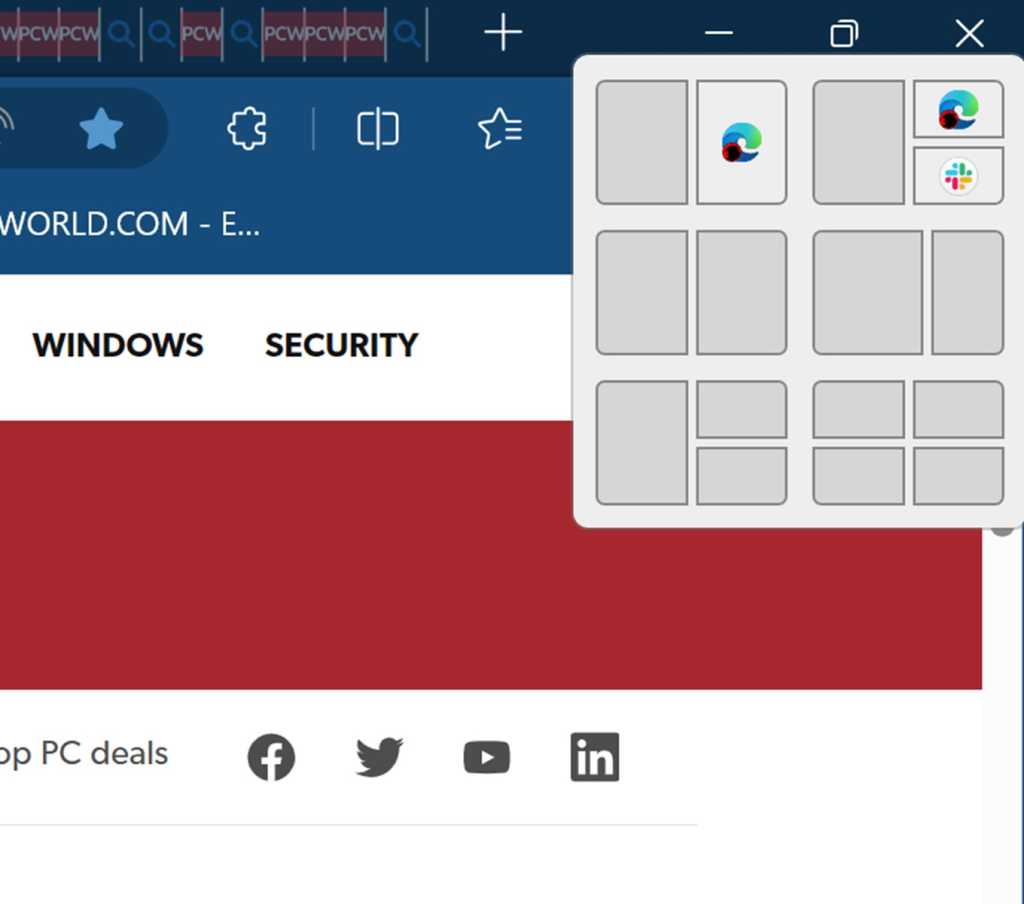
For writing, I like the split that gives one window about two-thirds of the screen and another window the remaining third.
For research, I like two equal windows for reading and taking notes, or one large window with two smaller ones stacked vertically beside it.
Spreadsheets also work well in the two-thirds layout.
You can also open Snap Layouts by hovering over a window’s maximize button or dragging the window to the top of the screen.
Once you build a layout, Windows treats those apps as a Snap Group.