None
EN
How to change up Windows 11’s Widgets panel—or disable it altogether
['More This Author', '.Wp-Block-Co-Authors-Plus-Coauthors.Is-Layout-Flow', 'Class', 'Wp-Block-Co-Authors-Plus', 'Display Inline', '.Wp-Block-Co-Authors-Plus-Avatar', 'Where Img', 'Height Auto Max-Width', 'Vertical-Align Bottom .Wp-Block-Co-Authors-Plus-Coauthors.Is-Layout-Flow .Wp-Block-Co-Authors-Plus-Avatar', 'Vertical-Align Middle .Wp-Block-Co-Authors-Plus-Avatar Is .Alignleft .Alignright']
PCWorld
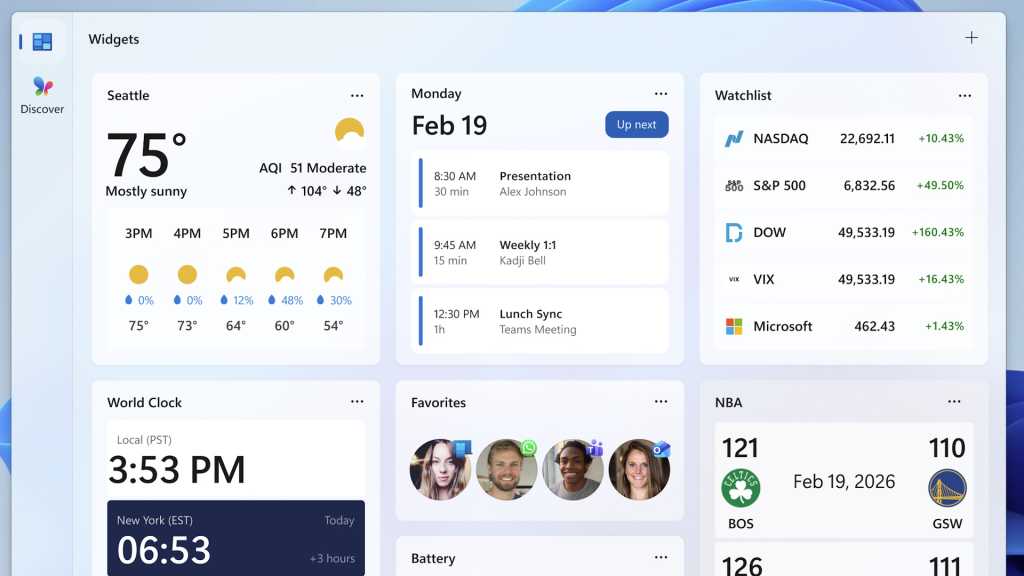
By default, Windows displays so-called widgets at the far left of the taskbar.
Clicking on the widget currently displayed opens a window where you can remove individual widgets from the selection by clicking on the three dots and selecting ‘Remove.’
After clicking on the plus sign in the widget window, you can select further widgets for the taskbar from a list, including a countdown.
FoundryClicking the plus sign in the top right-hand corner, on the other hand, takes you to a list where you can add additional widgets.
To do this, go to ‘Settings’ in Windows, click on ‘Personalisation > Taskbar’ and then toggle the switch next to ‘Widgets’ to ‘Off.’