None
EN
iOS 27: Tone Down Liquid Glass Transparency
['Tim Hardwick', 'Juli Clover']
MacRumors: Mac News and Rumors - All Stories
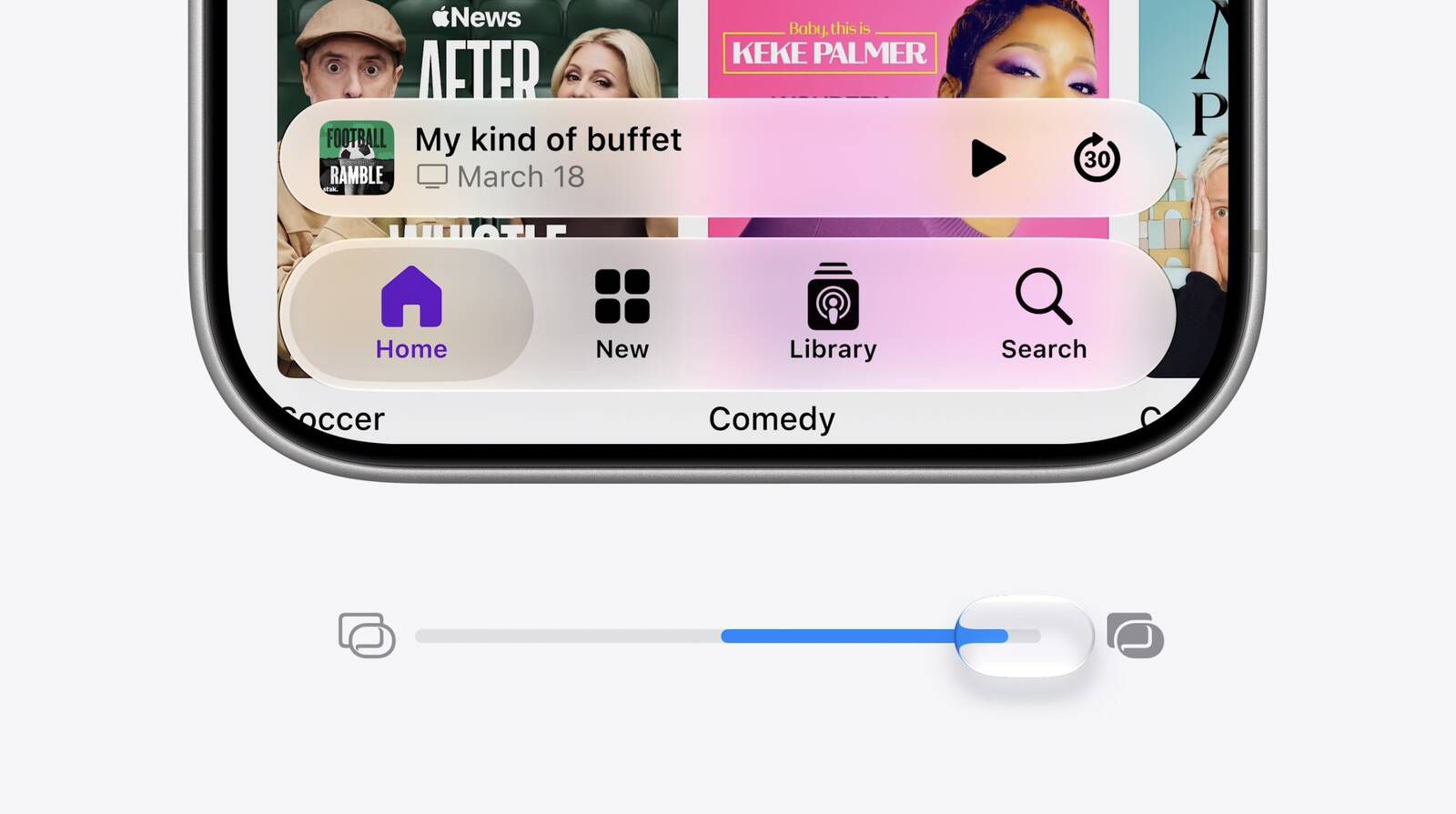
If you've never been a fan of Liquid Glass – Apple's glass-like interface effect introduced in iOS 26 – then there's some good news in iOS 27.
Fortunately, iOS 27 includes a dial that can help with that.
The earlier presets arrived in iOS 26.1 and gave you two positions on a spectrum, whereas iOS 27 gives you the whole spectrum.
How to Change the Liquid Glass EffectWhen you first install iOS 27, you'll be presented with the slider to change the Liquid Glass effect, but it's good to know how to get to it later if you want to switch up the look.
Tap Liquid Glass.